Speed
Layout, zoning, piping and hydraulics are done in seconds. You only review and adjust where needed.
Upload your AutoCAD drawing or a sketch. The software places sprinklers and rotors, sets up zones and valves, sizes the pipes and measures water distribution. You review and adjust the result; the project report, an editable DXF and a priced bill of materials come ready.
No installation · No credit card · Try it free with the sample gardens
Launch offerPro, first 3 months 30% off — until 31 December ›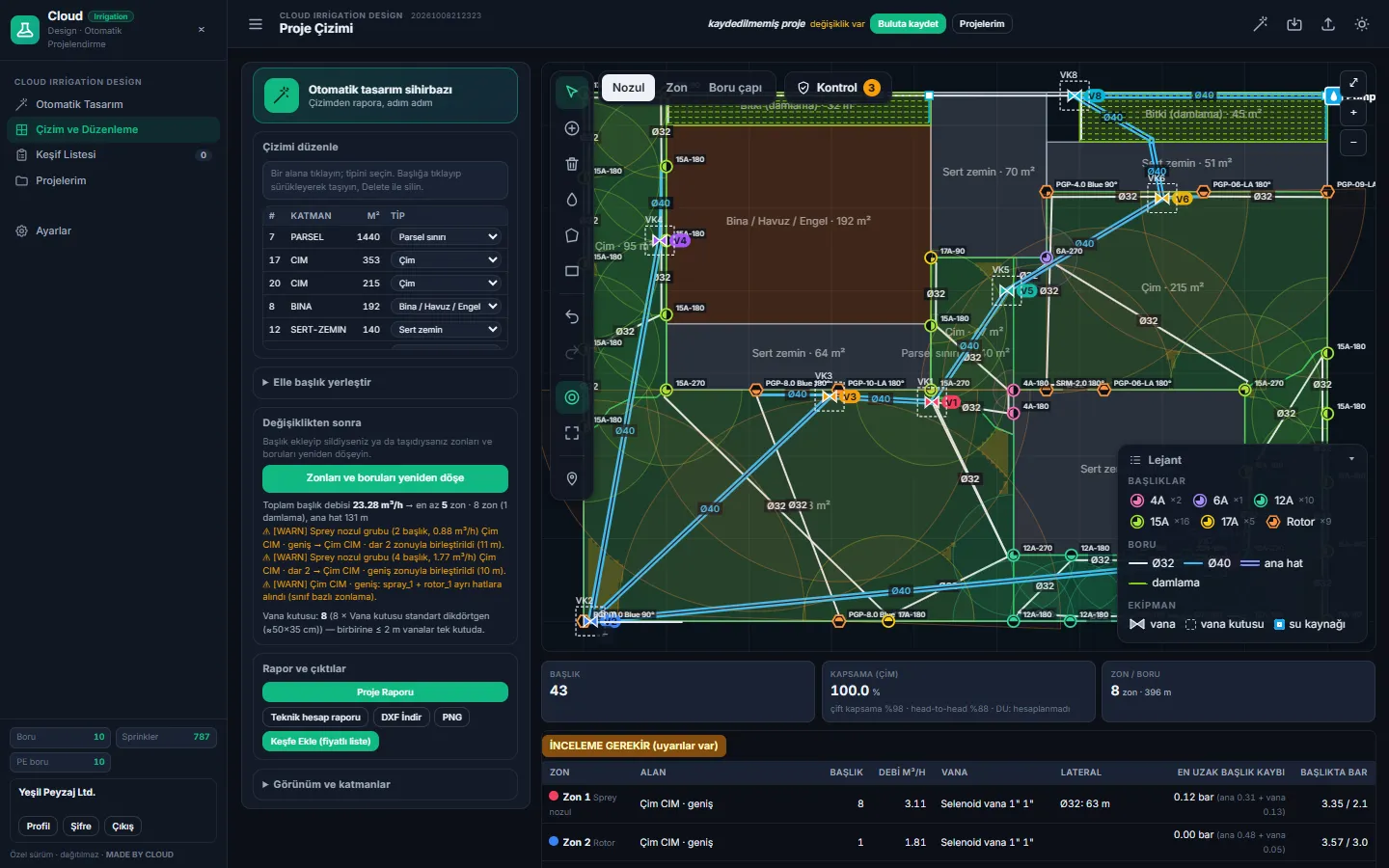
Placing heads one by one, splitting zones, sizing pipes and compiling the material list is no longer your job.
Layout, zoning, piping and hydraulics are done in seconds. You only review and adjust where needed.
Each zone's flow, the pressure at the farthest head and the pipe velocity are calculated. Dry spots and overspray onto paving are checked.
Climate data for 81 provinces of Türkiye, PE100 PN10 pipes and a bill of materials priced in TL; interface in English and Turkish.
Runs in the browser. No expensive CAD licence or powerful computer; open it in the office, on site, on a tablet.
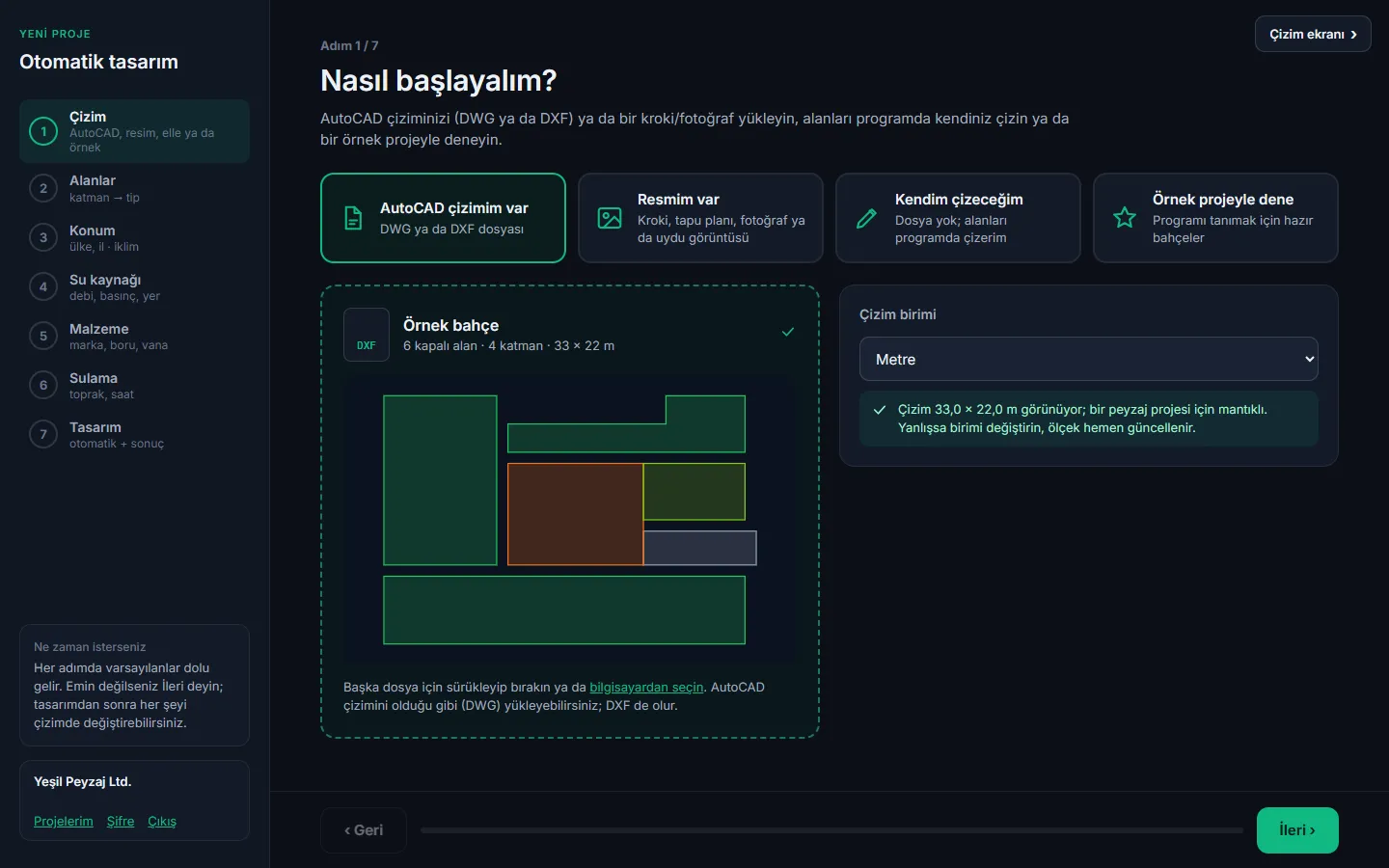
Upload a DWG or DXF; if you have none, start from a sketch, a site plan or a satellite photo and draw the areas yourself.
Mark the spots you are unsure about and send the design to an expert. You see each correction before and after, and approve them one by one.
Every step comes with sensible defaults. If unsure, just click “Next”.
DWG, DXF, sketch or photo. The software reads the closed areas and checks the scale.
Location, water source (flow, pressure), brand, pipe sizes and watering hours.
Heads, zones, valves, pipes and hydraulics — you watch it happen live on screen.
Project report with your logo, technical calculation report and priced bill of materials.
For every design the water reaching each point of the turf is calculated. The software generates several layouts, picks the best, and sets the zone run times together so the turf gets even water.
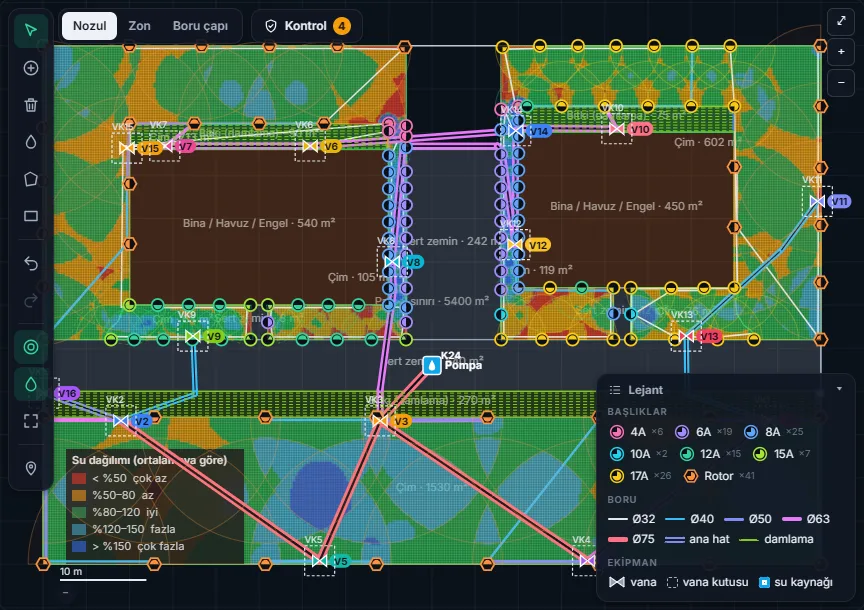
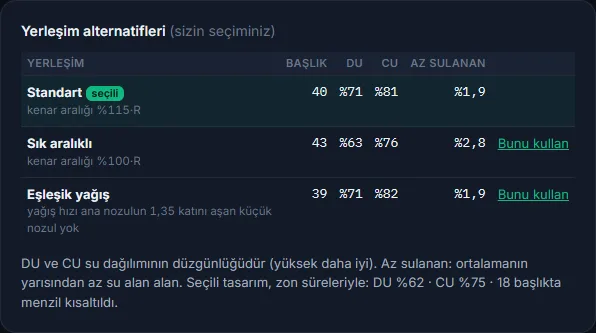
The whole program, from uploading a DWG to the report, from editing the drawing to expert review.
Pick a step and hover over the numbered points on the image. Use ← → on the keyboard to move; click the image to enlarge.
Comparison with the common ways of producing an irrigation design. Filter by topic or show only the differences.
✓ yes · ~ partly · ✕ no. Categories are a general assessment (October 2026); individual products may differ.
Enter your own numbers. Assumption: one design with the software takes about 45 minutes including drawing preparation and review.
Monthly Pro for regular designers, a subscription-free project package for occasional ones. Prices exclude VAT.
Payment: send the order form and we will send you a payment link (card or bank transfer) and the invoice; your account is activated the same day after payment. Accounts are personal; the number of concurrent sessions is limited by the plan.
No. It runs in the browser; an up-to-date web browser on Windows, Mac or a tablet is enough.
Upload a sketch, a site plan or a satellite photo and give the length of one edge you know; the image is brought to true scale. Or draw the areas yourself in the program with rectangles and polygons.
The most widely used Hunter and Rain Bird spray nozzles, rotors and rotary nozzles. Pipes follow the PE100 PN10 standard used in Türkiye; you choose the minimum and maximum diameters.
Each zone's flow, the pressure at the farthest head and the pipe velocities are calculated; coverage, overspray and area reconciliation are checked. The result is a preliminary design; it must be verified on site with pressure and flow measurements. You can also have an expert review your design.
You can try the whole program with the sample gardens (villa, garden with pool, housing estate, park, roadside): 10 automatic designs a month, the wizard, the drawing screen and the checks. Designing with your own drawing (DWG/DXF, sketch, manual), the project report, the technical report, DXF download and the priced bill of materials are in the Pro and Enterprise plans.
Accounts are personal; the number of concurrent sessions is limited by the plan. If your team needs several accounts, contact us about the Enterprise plan.
The net irrigated area (turf and planting beds) of each automatic design is deducted from your package; buildings, paths and hardscape are not counted, overlapping areas are counted once. Redesigning the same project 3 times within 7 days is free. Failed designs are not deducted. The package is valid for 6 months from purchase and does not renew automatically.
The launch discount (30%) applies to the first 3 months of monthly Pro and to the project package; annual payment already includes 2 free months, so the launch discount is not added. The founding member discount (20%) continues on Pro after the launch offer ends. The referral code (10%) is applied to the first payment on top of other discounts.
Send the order form by WhatsApp or e-mail; we will send you a card payment link or bank transfer details. The invoice is issued to your company. Your account is activated the same day after payment.
You can cancel monthly Pro in any month; you keep using it until the end of the paid period. There is no automatic charge; a payment link is sent to you for each period.
The result is a preliminary design you can review. The software checks coverage, overspray, pressure and water distribution and warns you; it must be verified on site by measuring the source pressure and flow. You can send the spots you are unsure about for expert review.
We have a partner programme for irrigation dealers, consultants and trainers: you get your own referral code and earn commission on payments made with it. Write to us for the terms.
The connection is encrypted (HTTPS), passwords are stored on the server in irreversible form and only you see your projects. A design sent for expert review is seen only by the assigned expert. Details in the privacy notice.
Open a free account; see the result with your own drawing in minutes.